
Cart
Your cart is empty, but doesn't have to be..
Your cart is empty, but doesn't have to be..
Rosén Innovation COM |24/07, 2026
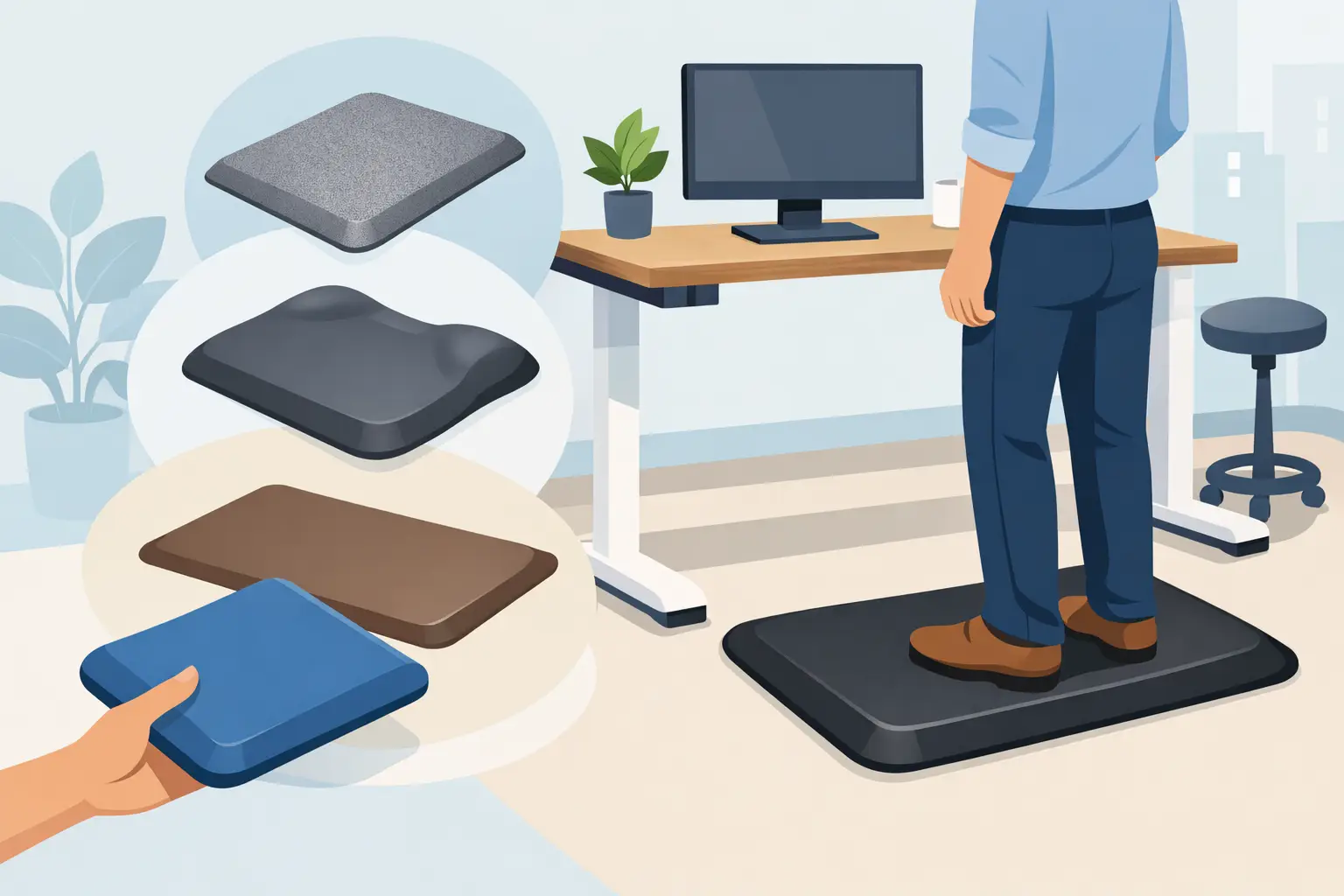
anti-fatigue solution built for continuous standing and footwear with safety soles.
Consider nearby equipment as well. If a chair is regularly rolled into the desk, the mat should not block wheel movement or create an awkward transition. If the workstation includes foot controls, stools, carts, or mobile cabinets, make sure the mat does not interfere with safe operation. Comfort cannot come at the cost of access or stability.
For adjustable desks, verify the ergonomic setup after the mat is installed. The added height may be modest, but it can still affect keyboard, monitor, and elbow position. The user should be able to stand with shoulders relaxed, forearms close to level with the work surface, and the screen positioned to avoid neck strain.
Procurement becomes faster when the work area is defined before comparing products. Record the floor type, required dimensions, number of stations, likely daily standing time, cleaning exposure, and whether the mat will be used with safety shoes, carts, or chair casters. For larger orders, standardizing a few sizes can simplify replacement planning and reduce the chance of ordering mats that do not fit the same workstation layout.
A useful specification should also address service life. The lowest purchase price is not always the lowest operating cost if mats flatten, slide, or need frequent replacement. A durable mat with consistent performance can reduce complaints, lower replacement frequency, and support a more reliable workstation standard.
Rosén Innovation approaches workplace products with the same practical priorities used across industrial safety equipment: material performance, safe use, low weight where it matters, and durable products made for repeat demand. For professional buyers, those factors are more useful than vague comfort claims.
Most comfort mats need simple routine care. Remove loose debris, clean according to the material's instructions, and inspect edges during regular workstation checks. Do not use harsh cleaning agents unless the material is rated for them. Over time, inspect for permanent compression, cracking, loss of grip, edge curling, or movement across the floor.
Replace a mat when it no longer lies flat or provides consistent support. Waiting until it becomes visibly damaged can turn an ergonomic product into a trip concern. Keeping a small number of matching replacements on hand is sensible for high-use facilities, especially where desk and counter layouts are standardized.
The best standing desk comfort mat is the one workers barely need to think about. It stays where it belongs, supports the task through the full shift, and keeps the standing workstation comfortable enough that people use it as intended.
">
A standing desk comfort mat is a small workplace upgrade with a direct effect on how a shift feels at 3:00 p.m. When people stand on concrete, tile, sealed wood, or low-pile carpet for long periods, the issue is rarely motivation. It is concentrated pressure under the feet, reduced movement, and fatigue building through the ankles, knees, hips, and lower back.
For facilities teams, office managers, lab supervisors, and safety buyers, the right mat is not simply a soft accessory. It is an ergonomic surface that must stay flat, remain stable under foot traffic, tolerate cleaning, and fit the workstation without creating a trip hazard. Material, thickness, edge design, and placement all affect whether it improves the work area or becomes another item to replace.
A good mat distributes standing pressure across a broader area of the foot while providing controlled cushioning. That controlled part matters. A surface that is too hard offers little relief. A surface that is too soft can feel unstable, increase effort when moving, and make rolling task chairs difficult to use nearby.
The goal is not to create a pillow under the operator. It is to reduce static standing fatigue while preserving a secure, predictable footing. In practical terms, a quality mat should encourage small natural shifts in posture, support the foot without bottoming out, and recover its shape after repeated use.
This makes comfort mats useful well beyond executive offices. They are a practical fit at sit-stand workstations, reception counters, packing benches, pharmacy stations, laboratory work areas, assembly cells, service counters, and home offices. The required specification changes with the environment. A mat used by one person in a carpeted office has different demands than one used all day on a hard floor near carts, tools, cleaning fluids, or heavy footwear.
Material determines how a mat feels, how long it lasts, and how it responds to the conditions around it. Buyers should start with the floor and the work performed, not with appearance alone.
Polyurethane is often a strong choice for professional environments because it can combine low weight, resilience, and durable cushioning. Properly engineered polyurethane mats resist compression better than many low-cost foam mats, which may flatten quickly in the main standing zone. Polyurethane is also well suited to products designed for recyclability, an advantage for organizations looking to reduce unnecessary material waste over the service life of workplace equipment.
Rubber can provide excellent grip and durability, particularly in industrial settings. However, rubber compounds vary widely. Some are better suited to dry interiors, while others are intended for oils, moisture, or more demanding workshop exposure. Check that the selected material is appropriate for the chemicals and cleaning methods used at the site.
PVC foam mats are common in light-duty applications because they are economical and initially feel soft. Their trade-off is durability. Under repetitive standing, chair movement, or heavy shoes, lower-grade foam can compress, curl at the edges, or lose its cushioning sooner than a higher-performance material.
For a standing desk, the best material is usually the one that provides lasting support without making the work surface feel spongy or unstable. For industrial or mixed-use spaces, prioritize resistance to wear, cleaning, and daily traffic before considering decorative finish.
Thickness affects comfort, stability, and edge safety. A very thin mat may not provide enough cushioning on concrete or tile. An overly thick mat may create a pronounced edge, interfere with nearby rolling chairs, or feel less secure for users who pivot frequently at the workstation.
For desk work, moderate cushioning is generally more useful than deep foam. The user should be able to step on and off the mat naturally without noticing a sharp height change. At shared workstations, this is especially important because footwear, body weight, and movement patterns will vary throughout the day.
The mat must also recover after loading. If the surface stays indented beneath the heels after routine use, its effective support is already declining. Compression set is a practical durability issue, not just a cosmetic one.
A comfort mat should cover the area where the user actually stands, turns, and reaches. A mat that only fits directly under both feet may look neat, but it can force a worker to step off the supportive surface every time they reach for a printer, file tray, scanner, or side-mounted control.
Measure the full working position. Include the area in front of the desk, the range needed to move from one monitor to another, and any repeated side-to-side task movement. At a fixed-height counter or bench, the mat may need to run along the length of the work zone rather than sit in one small square.
Avoid covering walkways or extending into an aisle where carts and other personnel pass. In facilities with several adjacent stations, separate mats can be easier to clean, replace, and reposition than one long run. A continuous mat can make sense where operators remain in a defined line, but it needs secure edges and sufficient width for the complete task area.
Edges are where many otherwise useful mats fail. Raised, curled, or abrupt edges increase the risk of catching a shoe or rolling equipment. Look for beveled edges that transition gradually to the floor, particularly in shared offices, reception areas, and places where users move in and out of the station frequently.
The underside matters as much as the top surface. The mat should stay in place on the installed flooring without adhesives that leave residue or complicate replacement. Smooth floors, polished concrete, vinyl, tile, carpet, and sealed wood can all behave differently. Confirm the product is intended for the floor type rather than assuming a general-purpose backing will perform the same everywhere.
If the site uses floor heating, frequent mopping, disinfectants, or static-control procedures, include those conditions in the selection process. A mat that works well in a dry office may not be suitable near a healthcare counter, lab sink, or production washdown area.
Standing desks are often used in alternating intervals, not for an uninterrupted eight-hour shift. That changes the requirement. Someone who stands for 20 to 40 minutes at a time may benefit from a compact, resilient mat that supports frequent posture changes. A worker at a packing or inspection station may need a more durable anti-fatigue solution built for continuous standing and footwear with safety soles.
Consider nearby equipment as well. If a chair is regularly rolled into the desk, the mat should not block wheel movement or create an awkward transition. If the workstation includes foot controls, stools, carts, or mobile cabinets, make sure the mat does not interfere with safe operation. Comfort cannot come at the cost of access or stability.
For adjustable desks, verify the ergonomic setup after the mat is installed. The added height may be modest, but it can still affect keyboard, monitor, and elbow position. The user should be able to stand with shoulders relaxed, forearms close to level with the work surface, and the screen positioned to avoid neck strain.
Procurement becomes faster when the work area is defined before comparing products. Record the floor type, required dimensions, number of stations, likely daily standing time, cleaning exposure, and whether the mat will be used with safety shoes, carts, or chair casters. For larger orders, standardizing a few sizes can simplify replacement planning and reduce the chance of ordering mats that do not fit the same workstation layout.
A useful specification should also address service life. The lowest purchase price is not always the lowest operating cost if mats flatten, slide, or need frequent replacement. A durable mat with consistent performance can reduce complaints, lower replacement frequency, and support a more reliable workstation standard.
Rosén Innovation approaches workplace products with the same practical priorities used across industrial safety equipment: material performance, safe use, low weight where it matters, and durable products made for repeat demand. For professional buyers, those factors are more useful than vague comfort claims.
Most comfort mats need simple routine care. Remove loose debris, clean according to the material's instructions, and inspect edges during regular workstation checks. Do not use harsh cleaning agents unless the material is rated for them. Over time, inspect for permanent compression, cracking, loss of grip, edge curling, or movement across the floor.
Replace a mat when it no longer lies flat or provides consistent support. Waiting until it becomes visibly damaged can turn an ergonomic product into a trip concern. Keeping a small number of matching replacements on hand is sensible for high-use facilities, especially where desk and counter layouts are standardized.
The best standing desk comfort mat is the one workers barely need to think about. It stays where it belongs, supports the task through the full shift, and keeps the standing workstation comfortable enough that people use it as intended.